
Product Specs
- SEER Rating: 13.4 SEER2
- Puron Advance (R-454B) refrigerant meets and exceeds EPA’s new Low GWP requirements
- New – UL 60335-2-40 Certified A2L leak detection and dissipation system factory installed standard
- Direct Drive Axion™ Technology indoor fan system uses Vane Axial fan design & electronically commutated motor
- Single-stage cooling capacity 04-06 models, two-stage on 07+ models
- New Unit Control Board with intuitive quick fan speed adjustment
- SEER2s up to 13.4, IEER up to 15.5
- Cooling operating range up to 115 °F (46°C) and down to 40°F (4°C) using winter start kit
- Innovative corrosive-resistant composite condensate pan in accordance with ASHRAE 62 Standard, sloping design; side or center drain
- Pre-painted exterior panels and primer-coated interior panels tested to 500 hours salt spray protection
- Units meet ASHRAE 90.1 energy efficiency levels.
- New unit control board facilitating simple safety circuit troubleshooting and simplified control box arrangement as well as easy intuitive fan speed adjustment
- Access panels with easy grip handles
- Brand: Bryant
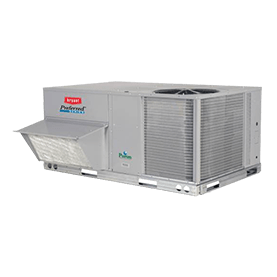
- Model or series: 559L Legacy Line™ Puron Advance™ Single-Packaged Rooftop Units with Axion™ Technology
- Equipment type: Rooftop unit
- Product group: Light-commercial HVAC
- System role: Self-contained packaged HVAC unit
- Application: Commercial, light-commercial, or managed-building HVAC and water-heating applications
- Compatibility check: Verify exact model, serial number, capacity, voltage, controls, and installation configuration.
- Verified source: bryant.com