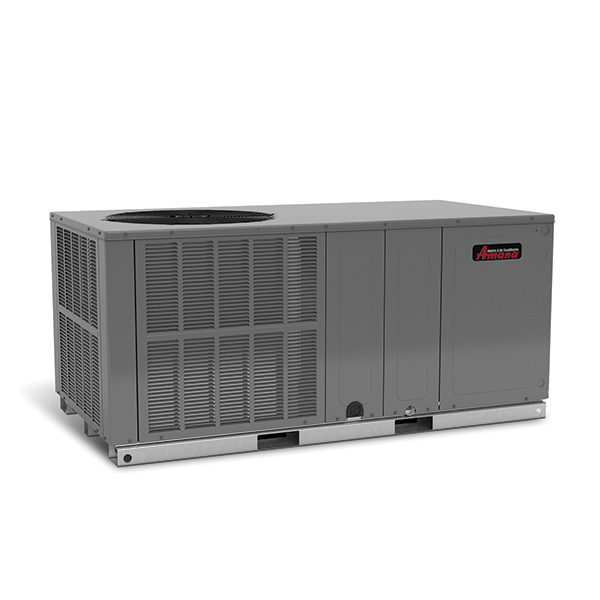
Packaged heat pump

Back to Amana products

Amana Packaged heat pump APHM3 Packaged Heat Pump

Amana Residential packaged HVAC Packaged heat pump Repair, maintenance, and replacement planning
Amana APHM3 Packaged Heat Pump product image

Technical Specifications

Product Specs

  • Model or series: APHM3 Packaged Heat Pump
  • Equipment type: Packaged heat pump
  • Product group: Residential packaged HVAC
  • System role: packaged HVAC equipment with heating and cooling components in one cabinet
  • Key matching details: rooftop or pad access, controls, duct connection, voltage, refrigerant, fuel type when applicable, and capacity
  • Service focus: heating operation, cooling operation, airflow, condensate, controls, access planning, and replacement logistics
  • 13.4 SEER2
  • 6.7 HSPF2
  • Official source type: exact Amana product page
  • Official source page: Aphm3
  • Brand: Amana
  • Application: Commercial, light-commercial, or managed-building HVAC and water-heating applications
  • Compatibility check: Match with compatible indoor unit, coil or air handler, controls, refrigerant, voltage, and capacity.
  • Verified source: amana-hac.com

Useful troubleshooting details

  • Confirm the full model and serial number from the equipment nameplate before scheduling.
  • Share photos of the equipment, thermostat or control, and the surrounding access area.
  • Include recent symptoms, service history, filter condition, and whether the request is urgent or planned.
  • For heat pump issues, note whether the concern happens in heating mode, cooling mode, defrost, or cold-weather operation.
  • Mention outdoor icing, auxiliary heat behavior, short cycling, unusual outdoor-unit noise, or thermostat mode changes.

Service planning

How GreenFlow handles APHM3 Packaged Heat Pump requests

1

Identify the equipment

Confirm the model or series name, serial number if available, photos, and whether the unit is roof, exterior, basement, or mechanical-room equipment.

2

Describe the service issue

Share no heat, no cooling, weak airflow, error codes, alarms, leaks, noise, control problems, or comfort complaints.

3

Review access and history

Include access notes, tenant or business-hour constraints, filter status, recent repairs, and maintenance records when available.

4

Plan the next step

GreenFlow can route the request for diagnostics, repair planning, maintenance, replacement scope, or related system upgrades.


Brands We Service

Popular cities

Service Areas

Our Happy Customers