

Carrier Catalog Product

Back to Carrier products

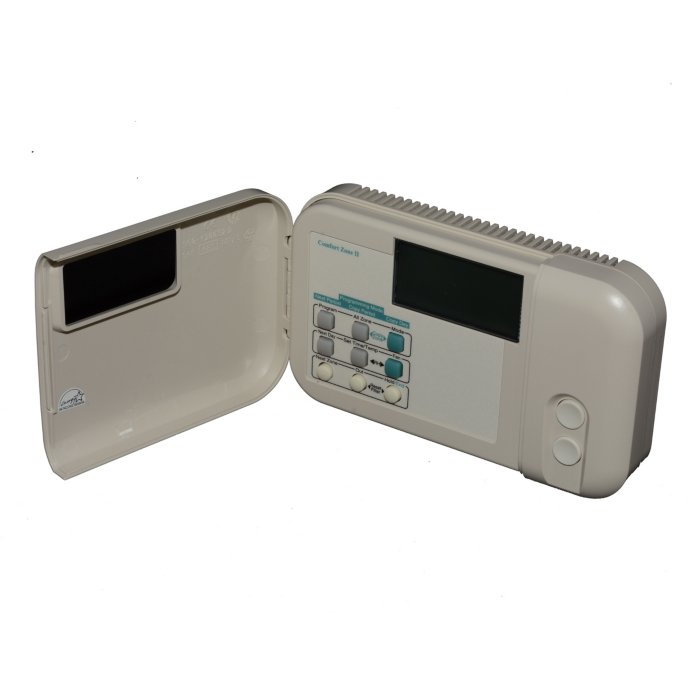
Carrier Catalog Product ® ComfortZone™ II User Interface revision B

Carrier Residential Carrier Catalog Product Carrier Catalog Product Repair, maintenance, and replacement planning
Carrier® ComfortZone™ II User Interface revision B product image

Technical Specifications

Product Specs

  • Model: ZONECC0USI01-B
  • Manufacturer Number: ZONECC0USI01-B
  • Vendor Number: ZONECC0USI01-B
  • Catalog Brand: Carrier®
  • 750mV Compatible: NO
  • Ambient Temperature Range: -40°F to 185°F (-40°C to 85°C)
  • Auto Changeover: YES
  • Backlit: YES
  • Batteries Included: NO
  • Battery Backup: NO
  • Brand: Carrier®
  • Built In Wi-Fi: NO
  • Change/Check Reminders: YES
  • Color: Eggshell
  • Country Of Origin: MEX
  • Cubic Measurement: 0.0257
  • Daylight Savings Time Ready: NO
  • Digital-Non Programmable: NO
  • Digital-Programmable: YES
  • Display: YES
  • Display Options: LCD, Backlit
  • Displays Outdoor Temperature: YES
  • Dual Transformer Compatible: NO
  • Electrical Rating: 24 VAC
  • Energy Star Rated: NO
  • Fan Switching: YES
  • GTIN: 00781897014805
  • Heat Pump Compatible: YES
  • Height: 1.375
  • Hinged: YES
  • Humidification: YES
  • Indoor Remote Sensor: YES
  • Length: 7.375
  • Low Battery Indicator: NO
  • Manual: YES
  • OPT Code: 1PZONECC0USI01-B
  • Operating Temperature Range: 32°F to 158°F (0°C to 70°C)
  • Power Method: Hardwired
  • Programmable Fan: YES
  • Prop 65: YES
  • Removable Interface: NO
  • Sensing Element: NO
  • Stages Cooling: 2
  • Stages Heating: 3
  • System Switching: NO
  • Temperature Range: 32°F to 158°F (0°C to 70°C)
  • Temperature Settings Per Day: 4
  • Tier: ComfortZone™
  • Touchscreen: NO
  • UOM: EA
  • UPC: See GTIN
  • Vacation Mode: NO
  • Voltage: 24 VAC
  • Weight: 3
  • Width: 4.375
  • Works With Google Assistant: NO
  • Works With Rheem EcoNet: NO

Useful troubleshooting details

  • Confirm the exact model number, serial number, installed equipment type, and site voltage before service or replacement planning.
  • Match replacement equipment and accessories against current Carrier compatibility requirements, refrigerant type, capacity, airflow, and local code requirements.

Service planning

How GreenFlow handles Carrier® ComfortZone™ II User Interface revision B requests

1

Identify the equipment

Confirm the model or series name, serial number if available, photos, and whether the unit is roof, exterior, basement, or mechanical-room equipment.

2

Describe the service issue

Share no heat, no cooling, weak airflow, error codes, alarms, leaks, noise, control problems, or comfort complaints.

3

Review access and history

Include access notes, tenant or business-hour constraints, filter status, recent repairs, and maintenance records when available.

4

Plan the next step

GreenFlow can route the request for diagnostics, repair planning, maintenance, replacement scope, or related system upgrades.

Brands We Service

Popular cities

Service Areas

Our Happy Customers