Gas furnace

Back to Trane products

Trane Gas furnace A801X100CM5SD

Trane Trane AHRI Furnace - RunTru by Trane A801X 80% Gas Furnace Gas furnace Repair, maintenance, and replacement planning
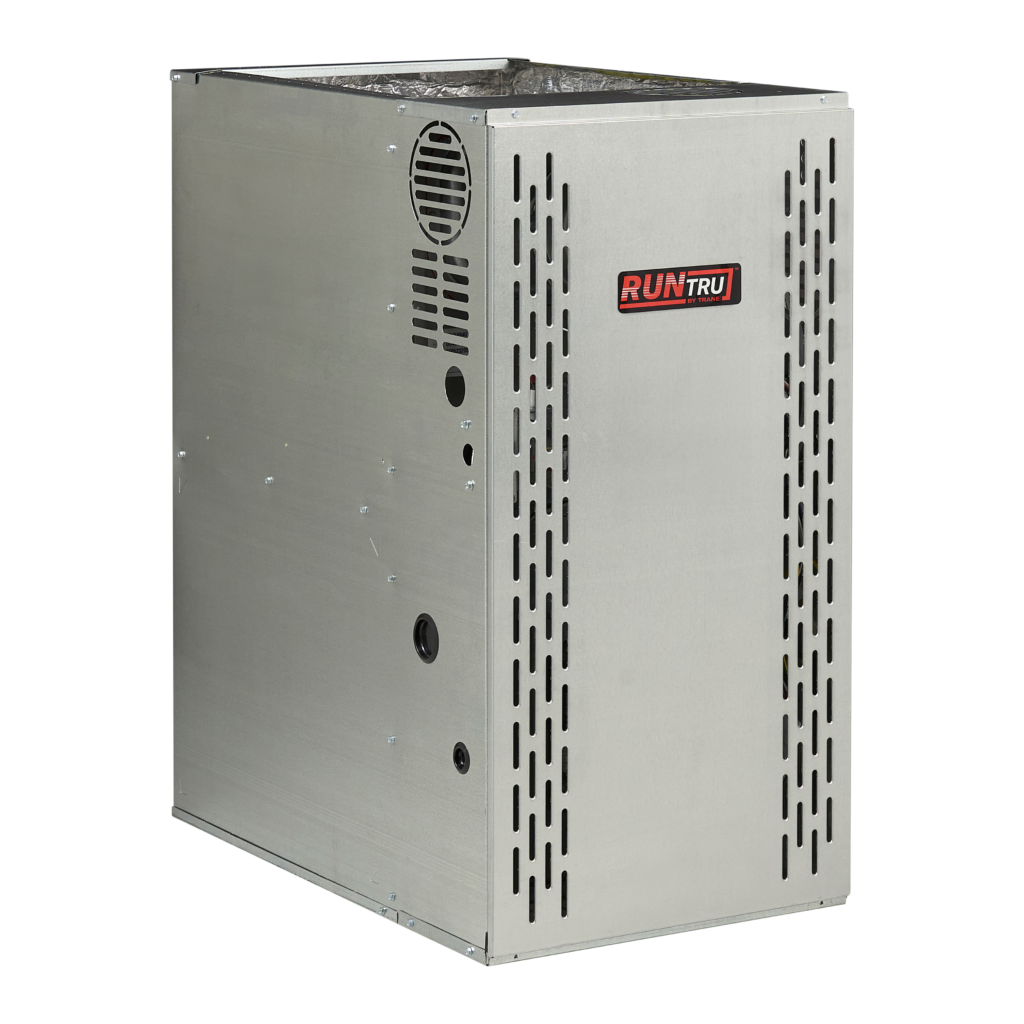
Trane A801X100CM5SD product image

Technical Specifications

Product Specs

  • AHRI unit role: Furnace
  • AHRI model/pattern: A801X100CM5SD
  • AHRI records represented: 4
  • AHRI equipment type: HP - Split System
  • AHRI refrigerant: R-454B
  • Verified catalog model: A801X100CM5SD
  • Verified product family: RunTru by Trane A801X 80% Gas Furnace
  • Verified catalog brand: Trane
  • Verified model family: A801X
  • AHRI furnace model/pattern: A801X100CM5SD
  • Base furnace model: A801X100CM5SD
  • Nominal input: 100,000 BTU/h
  • AFUE: 80%
  • Heating stages: single-stage
  • Blower: constant-torque ECM
  • Combustion: non-condensing gas furnace
  • Configuration: multi-position
  • Blower tonnage: 5 ton
  • Cabinet width: 21 in.
  • Dimensions: 34 in. H x 21 in. W x 28.8 in. D
  • Application: matched gas furnace for split-system air conditioner or heat pump combinations
  • Public RunTru by Trane product page: https://runtruhvac.com/furnaces/

Useful troubleshooting details

  • Confirm the installed model and serial number, matched indoor or outdoor equipment, voltage, refrigerant, controls, and AHRI certificate before service or replacement planning.
  • Use the linked AHRI certificates to verify matched-system combinations, rebate conversations, and equipment eligibility before quoting replacement work.
  • Collect photos of the nameplate, equipment access, recent fault history, and comfort symptoms before dispatch or proposal planning.

Troubleshooting

Troubleshooting and error codes

View error codes

Service planning

How GreenFlow handles A801X100CM5SD requests

1

Identify the equipment

Confirm the model or series name, serial number if available, photos, and whether the unit is roof, exterior, basement, or mechanical-room equipment.

2

Describe the service issue

Share no heat, no cooling, weak airflow, error codes, alarms, leaks, noise, control problems, or comfort complaints.

3

Review access and history

Include access notes, tenant or business-hour constraints, filter status, recent repairs, and maintenance records when available.

4

Plan the next step

GreenFlow can route the request for diagnostics, repair planning, maintenance, replacement scope, or related system upgrades.


Brands We Service

Popular cities

Service Areas

Our Happy Customers