
Rooftop Unit

Back to Lennox products

Lennox Strategos Rooftop Units service and support

Lennox Commercial rooftop units Rooftop Unit Repair, maintenance, and replacement planning
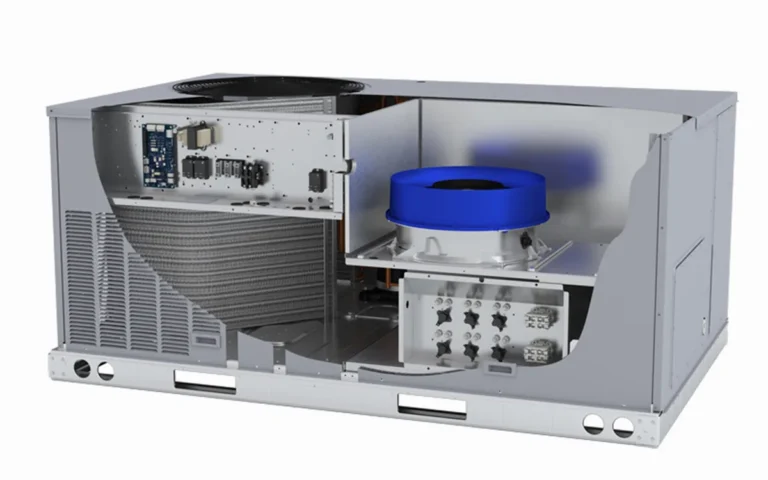
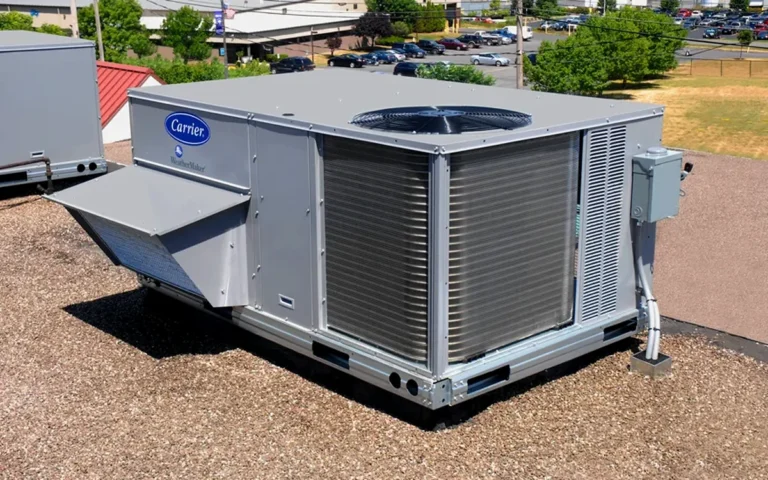
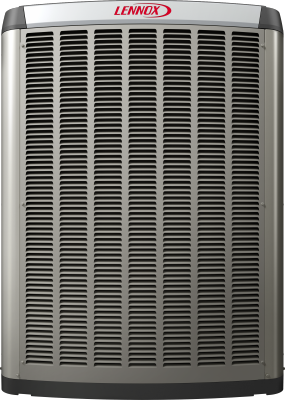
Lennox Strategos Rooftop Units product image

Product service snapshot

Lennox Strategos Rooftop Units service details

Use the Lennox commercial rooftop unit family name when requesting service so the team can document building type, access, symptoms, maintenance history, and repair or replacement planning needs.

  • Brand: Lennox
  • Model or series: Strategos Rooftop Units
  • Equipment type: Rooftop Unit
  • Product group: Commercial rooftop units

Technical snapshot

Lennox Strategos Rooftop Units technical snapshot

Product Specs

  • Equipment type: commercial rooftop unit
  • Product focus: commercial Lennox rooftop unit family
  • Service focus: capacity, controls, economizer, access, and replacement planning from the unit nameplate
  • Lennox model family: STRATEGOS
  • Product category: Rooftop Unit
  • System role: commercial rooftop unit for occupied-space heating and cooling
  • Brand: Lennox
  • Model or series: Strategos Rooftop Units
  • Product group: Commercial rooftop units
  • Application: Commercial, light-commercial, or managed-building HVAC and water-heating applications
  • Compatibility check: Verify exact model, serial number, capacity, voltage, controls, and installation configuration.
  • Verified source: lennox.com

Useful troubleshooting details

  • Confirm the rooftop unit model, serial number, tonnage, voltage, heating configuration, controls, curb/access details, and service history.
  • Share no heat, no cooling, economizer, belt, blower, airflow, thermostat, BAS, alarm, lockout, or tenant comfort details.
  • For replacement planning, include rooftop access, business hours, occupied-space impact, curb fit, crane or lift constraints, and current maintenance records.

Service planning

How GreenFlow handles Strategos Rooftop Units requests

1

Identify the equipment

Confirm the model or series name, serial number if available, photos, and whether the unit is roof, exterior, basement, or mechanical-room equipment.

2

Describe the service issue

Share no heat, no cooling, weak airflow, error codes, alarms, leaks, noise, control problems, or comfort complaints.

3

Review access and history

Include access notes, tenant or business-hour constraints, filter status, recent repairs, and maintenance records when available.

4

Plan the next step

GreenFlow can route the request for diagnostics, repair planning, maintenance, replacement scope, or related system upgrades.

Strategos Rooftop Units service questions

What Lennox Strategos Rooftop Units alarm or error-code details should I share?

Share the exact alarm, fault, or status message shown on the unit controller, thermostat, service app, or building automation system. Photos of the control screen, unit nameplate, and thermostat/BAS screen help the team understand the issue before dispatch.

What should I check before requesting Strategos Rooftop Units service?

Confirm the thermostat or building schedule, whether one tenant space or multiple zones are affected, recent filter or maintenance history, and whether the RTU is locked out, noisy, short cycling, or not responding. Do not open rooftop panels or reset electrical equipment if it is unsafe.

Why would a Strategos Rooftop Units run but not heat or cool correctly?

Possible causes include airflow restrictions, dirty filters, economizer or damper issues, sensor or control faults, compressor or reversing-valve issues, defrost problems, refrigerant concerns, electrical faults, or building automation scheduling. A technician needs the full symptom and alarm context to diagnose it safely.

When is a Strategos Rooftop Units issue urgent?

Treat the request as urgent when no heat or no cooling affects occupied space, an alarm or lockout is active, there is electrical odor, unusual noise, water intrusion, unsafe rooftop access, or repeated tenant comfort complaints. Include business hours and access notes when scheduling.